


JetBrains Upsource v1.x on CentOS 7.x
This document describes installing and running JetBrains Upsource v1.0 on a CentOS/El v7.x VM.
Note: The VM has a recommended minimum RAM of 8GB.
JetBrains Upsource is deployed on a CentOS v7.x VM with Nginx as a reverse proxy in front (out of scope). Note: This installation is done with v1.0 EAP code.
Install Java pre-requisites (install the latest available - JDK 8.0 not available at the time of writing, and 'java-1.7.0-openjdk-headless' is not supported).
# yum install java-1.7.0-openjdk
Mount suitable storage for the appliance on '/srv'.
LABEL=/srv /srv ext4 defaults 1 1
Create an 'upsource' user with a home directory in '/srv':
# adduser -r -m -d /srv/upsource -c "JetBrains Upsource" upsource
As the 'upsource' user (i.e. 'su - upsource') unpackage the JetBrains zip package into the upsource home sirectory ('/srv/upsource'). The strategy is to rename the upsource distribution with it's version number, and then provide a fixed name with a symbolic link. This allows easy upgrades and meets the systemd requirements of a fixed/well known path to binaries.
$ unzip /tmp/upsource-1.0.10663.zip
$ mv Upsource upsource-1.0.10663
$ ln -s upsource-1.0.10663 upsource
Create a systemd script in '/lib/systemd/system/upsource.service':
[Unit]
Description=JetBrains Upsource
Requires=network.target
After=syslog.target network.target

[Service]
Type=forking
EnvironmentFile=/etc/sysconfig/upsource
PIDFile=/srv/upsource/upsource/logs/upsource.pid
ExecStart=/srv/upsource/upsource/bin/upsource.sh start
ExecStop=/srv/upsource/upsource/bin/upsource.sh stop
ExecReload=/srv/upsource/upsource/bin/upsource.sh restart
TimeoutStartSec=10min
User=upsource

[Install]
WantedBy=multi-user.target
Note: The PIDFile is written to the logs directory. The path must match the location confgiured for logging. During the initial configuration this is changed from being in the ditribution tree ('/srv/upsource/upsource/logs') to not in the distribution tree ('/srv/upsource/logs') so that it survives upgrades. If systemd can't find the PID file within the startup timeout it will shut the service down.
Create a configuration file '/etc/sysconfig/upsource': (Note: this can be skipped as there is nothing to add at this stage)
Configure upsource JVM parameters to run headless. The will modify the file '~upsource/upsource-1.0.10663/bin/conf/upsource.jvmoptions'. Alternatively it could be directly edited.
$ bin/upsource.sh configure -J-Djava.awt.headless=true
Enable and start the service. The v1.0 EAP service takes a long time to start up (the systemd configuration has a very large start timeout):
# systemctl enable upsource.service
# systemctl start upsource
Configure
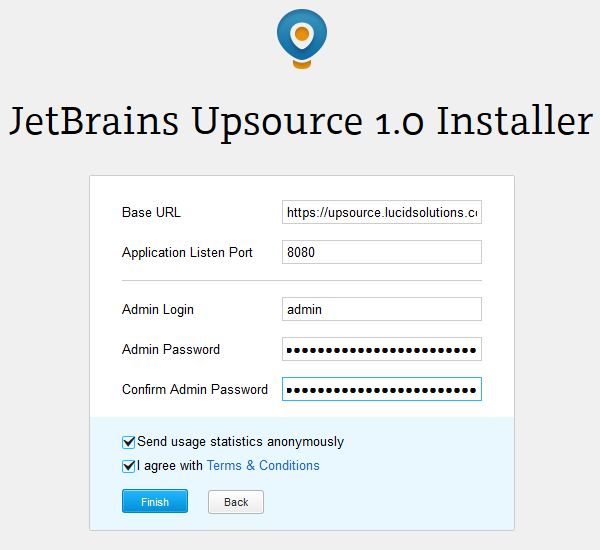
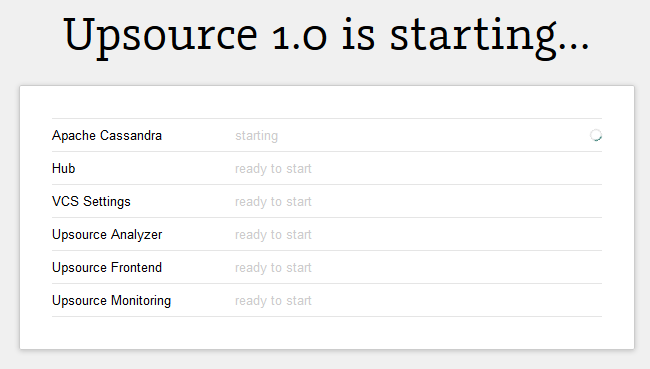
Browse to the instance and perform the initial configuration of the web site:

Links
- https://www.jetbrains.com/upsource/documentation/installation.html
- http://www.freedesktop.org/software/systemd/man/systemd.service.html
- https://youtrack.jetbrains.com/issue/UP-2426
- http://0pointer.de/public/systemd-man/systemd.exec.html
Appendices
Upsource help
Top level help
$ ./upsource.sh
Usage:
  /bin/sh /srv/upsource/upsource-1.0.10663/bin/upsource.sh <command>

<command> can be one of the following:

  configure
    configures Upsource, call "help configure" for details

  start
    starts Upsource in background, call "help start" for details

  run
    runs Upsource in the current console

  status
    prints Upsource status, call "help status" for details

  stop
    shuts Upsource down, call "help stop" for details

  restart
    restarts Upsource in background, call "help restart" for details

  rerun
    reruns Upsource in the current console, call "help rerun" for details

  kill
    kills Upsource process

  help
    prints usage text

  help <command name>
    prints usage text for the specified command
Configure Help
$ ./upsource.sh help configure
Usage of the "configure" command:

  configure <argument1> <argument2> ...
    configures Upsource properties and JVM options

Arguments can be the following:

  --<property name>=<property value>
    changes the value of the specified property

  --<property name> <property value>
    changes the value of the specified property

  <properties file path>
    reads the properties from the specified file and applies its values

  -J<JVM option>
    adds the specified JVM option to the Upsource JVM options list, see additional comments in the "conf/upsource.jvmoptions" file

Use "--launcher" option to configure the launcher only and not pass the specified properties to Upsource
Start help:
$ ./upsource.sh help start
Usage of the "start" command:

  start
    starts Upsource in background

  start soft
    starts Upsource in background softly (timeout is not applied in this case)
Nginx Configuration
server {
    listen [::]:80;
    server_name          upsource.lucidsolutions.co.nz;
    location / {
        # redirect to secure page [permanent | redirect]
        rewrite ^ https://upsource.lucidsolutions.co.nz$request_uri? permanent;
    }
}

server {
    listen               [::]:443;
    server_name          upsource.lucidsolutions.co.nz;
    keepalive_timeout    70;

    ssl                  on;
    ssl_certificate      certs/upsource.lucidsolutions.co.nz.startssl.crt;
    ssl_certificate_key  certs/upsource.lucidsolutions.co.nz.key;

    access_log           /var/log/nginx/upsource.lucidsolutions.co.nz.access.log  main;

    location / {
        proxy_pass http://pumpkin.lucidsolutions.co.nz:8080/;

        proxy_set_header        X-Forwarded-Host  $host;
        proxy_set_header        X-Forwarded-For   $proxy_add_x_forwarded_for;
        proxy_set_header        X-Forwarded-Proto $scheme;
        proxy_http_version      1.1;
        # to proxy WebSockets in nginx
        proxy_set_header        Upgrade $http_upgrade;
        proxy_set_header        Connection "upgrade";
    }
}
Running the JVM headless
The following error is displayed when the services are started on a VM without X and without 'java.awt.headless=true' defined.
[APP-WRAPPER] Failed to start the application: java.lang.ExceptionInInitializerError
[APP-WRAPPER] com.jetbrains.launcher.StartupException: java.lang.ExceptionInInitializerError
   at com.jetbrains.upsource.backend.cli.UpsourceDaemonBase.start(UpsourceDaemonBase.java:209)
   at com.jetbrains.launcher.AppProxy$4.call(AppProxy.java:78)
   at com.jetbrains.launcher.AppProxy$4.call(AppProxy.java:76)
   at java.util.concurrent.FutureTask.run(FutureTask.java:262)
   at java.util.concurrent.ThreadPoolExecutor.runWorker(ThreadPoolExecutor.java:1145)
   at java.util.concurrent.ThreadPoolExecutor$Worker.run(ThreadPoolExecutor.java:615)
   at java.lang.Thread.run(Thread.java:745)
Caused by: java.lang.Error: java.lang.ExceptionInInitializerError
   at com.jetbrains.upsource.backend.server.psi.IdeaApplicationFactory.create(IdeaApplicationFactory.java:331)
   at com.jetbrains.upsource.backend.server.facade.UpsourceApplicationEnvironment.<init>(
      UpsourceApplicationEnvironment.java:117)
   at com.jetbrains.upsource.backend.cli.UpsourceApplicationEnvironmentDaemonBase.startDaemon(
      UpsourceApplicationEnvironmentDaemonBase.java:12)
   at com.jetbrains.upsource.backend.cli.UpsourceAnalyzerDaemon.startDaemon(UpsourceAnalyzerDaemon.java:51)
   at com.jetbrains.upsource.backend.cli.UpsourceDaemonBase.start(UpsourceDaemonBase.java:142)
   at com.jetbrains.upsource.backend.cli.UpsourceDaemonBase.start(UpsourceDaemonBase.java:203)
   ... 6 more
Caused by: java.lang.ExceptionInInitializerError
   at com.intellij.openapi.editor.colors.impl.AbstractColorsScheme.<init>(AbstractColorsScheme.java:56)
   at com.intellij.openapi.editor.colors.impl.DefaultColorsScheme.<init>(DefaultColorsScheme.java:38)
   at com.intellij.openapi.editor.colors.ex.DefaultColorSchemesManager.readExternal(DefaultColorSchemesManager.java:59)
   at com.jetbrains.upsource.backend.server.psi.IdeaApplicationFactory.create(IdeaApplicationFactory.java:318)
   ... 11 more
Caused by: java.lang.NullPointerException
   at sun.awt.FontConfiguration.getVersion(FontConfiguration.java:1264)
   at sun.awt.FontConfiguration.readFontConfigFile(FontConfiguration.java:219)
   at sun.awt.FontConfiguration.init(FontConfiguration.java:107)
   at sun.awt.X11FontManager.createFontConfiguration(X11FontManager.java:753)
   at sun.font.SunFontManager$2.run(SunFontManager.java:431)
   at java.security.AccessController.doPrivileged(Native Method)
   at sun.font.SunFontManager.<init>(SunFontManager.java:376)
